
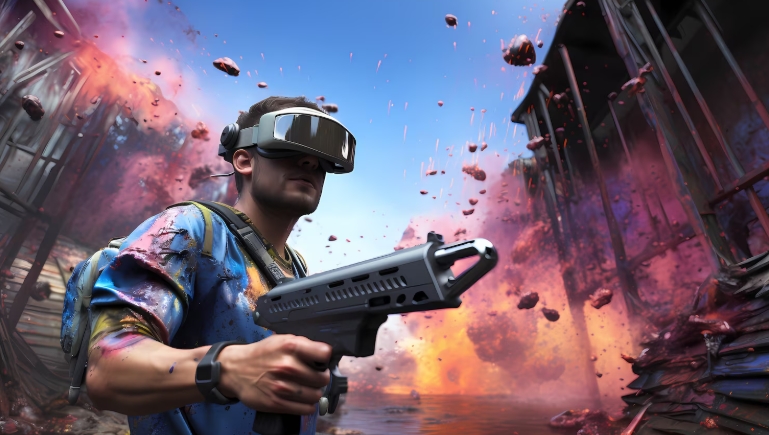
When you set out to build a Ray Tracing Gaming PC, you are investing in a system that can render realistic lighting, shadows, and reflections in real time. Modern gamers expect immersive visuals, and the combination of a powerful GPU, a capable CPU, and fast memory makes that possible. In this guide we break down the essential components, discuss the trade‑offs between building and buying, and provide practical tips that will keep your rig future‑proof. Whether you are chasing the highest frame rates in titles like Cyberpunk 2077 or simply want smooth performance in Ray tracing enabled games, the advice here follows an evidence‑based, E‑E‑A‑T approach.
Choosing the Right GPU for Real‑Time Ray Tracing
The graphics card is the heart of any Ray Tracing Gaming PC. NVIDIA’s RTX series introduced dedicated RT cores that accelerate bounding‑volume hierarchy calculations, dramatically improving ray‑traced frame rates. The RTX 3080 and RTX 4080 are popular mid‑high tier choices, offering a strong performance‑to‑price ratio for 1440p and 4K gaming. AMD’s competing solution lives in the RDNA 2 architecture, with the Radeon RX 6800 XT delivering comparable rasterization power and hardware‑accelerated ray tracing via Ray Accelerators. When selecting a GPU, consider:
- VRAM capacity – 12 GB or more helps with high‑resolution textures.
- Ray‑tracing performance – measured by benchmarks such as Metro Exodus or Control.
- Power draw – ensure your PSU can supply the necessary wattage.
- Future driver support – NVIDIA and AMD regularly update drivers to improve ray‑tracing efficiency.
These factors together determine how smoothly you can enable ray‑traced effects without sacrificing frame rates.
CPU Considerations for Ray Tracing Performance
Although the GPU does most of the heavy lifting for ray tracing, the CPU still plays a crucial role in feeding data to the graphics pipeline. Modern games rely on high core counts for physics, AI, and world‑generation tasks, which become more demanding as visual fidelity rises. An Intel Core i7‑13700K or AMD Ryzen 7 7700X provides ample multithreaded performance, while still fitting within a typical gaming budget. If you plan to stream or run background productivity apps while gaming, aim for a CPU with at least 8 cores and 16 threads. Remember to pair the processor with a compatible motherboard chipset (e.g., Z790 for Intel, X670 for AMD) to take advantage of PCIe 5.0 lanes, which can boost GPU bandwidth for future‑proofing.
Memory, Storage, and Cooling Essentials
High‑speed system memory reduces latency when the CPU prepares draw calls for the GPU. DDR5‑6000 modules are now mainstream and provide a noticeable uplift over DDR4, especially in titles that stream large asset bundles. A minimum of 16 GB is acceptable for most games, but 32 GB ensures headroom for mods, streaming, and multitasking. For storage, NVMe solid‑state drives (PCIe 4.0 or PCIe 5.0) dramatically cut loading times and allow assets to be streamed on‑the‑fly, which is vital for ray‑traced worlds that load high‑resolution textures on demand. Cooling cannot be ignored: a high‑quality AIO liquid cooler (280 mm or larger) maintains CPU temperatures under load, while the GPU’s own water‑block kits are optional for extreme overclocking. Good case airflow, with at least two intake fans and one exhaust, prevents thermal throttling that would otherwise degrade ray‑tracing performance.
Building vs. Buying a Pre‑Built System
Many newcomers wonder whether to assemble their own Ray Tracing Gaming PC or purchase a pre‑built model from a retailer. Building offers complete control over component selection, enabling you to prioritize the GPU, tailor cooling solutions, and potentially save money. However, pre‑built systems provide convenience, warranty coverage for the entire unit, and often include optimized BIOS settings for ray‑tracing workloads. If you lack experience, a reputable vendor such as NVIDIA’s partner builders can deliver a ready‑to‑play machine with a single warranty. For those who value learning and customization, the DIY route is rewarding and typically yields better price‑to‑performance ratios.
Cost Breakdown Example
Below is a sample budget for a balanced Ray Tracing Gaming PC capable of 1440p ultra settings:
- GPU: NVIDIA RTX 4080 – $1,200
- CPU: AMD Ryzen 7 7700X – $380
- Motherboard: X670 chipset – $250
- RAM: 32 GB DDR5‑6000 – $150
- Storage: 2 TB PCIe 4.0 NVMe SSD – $180
- Cooling: 280 mm AIO liquid cooler – $120
- Case & Fans: Mid‑tower with premium airflow – $130
- Power Supply: 850 W 80+ Gold – $140
- Operating System: Windows 11 Home – $130
Total estimated cost: $2,680. Prices fluctuate, but this snapshot demonstrates that a high‑end ray‑tracing experience is attainable without breaking the bank.
Optimizing Software Settings for Maximum Ray Tracing
Hardware alone does not guarantee smooth ray‑traced gameplay; driver and in‑game settings are equally important. Always install the latest graphics drivers from the manufacturer’s website – NVIDIA’s GeForce Experience or AMD’s Radeon Software. Within the driver panel, enable features such as DLSS (Deep Learning Super Sampling) for NVIDIA or FSR (FidelityFX Super Resolution) for AMD; these technologies upscale lower‑resolution frames using AI, delivering higher FPS while preserving visual fidelity. In game menus, start with the “Ray Tracing Quality” slider set to “Medium” and adjust upwards as your performance budget allows. Monitoring tools like MSI Afterburner help you keep an eye on GPU temperature and usage, ensuring the system remains within safe operating limits.
Future‑Proofing Your Ray Tracing Investment
Ray tracing is still evolving, with developers adopting techniques like hybrid rendering and variable‑rate shading to balance performance. To stay ahead, select a motherboard with extra PCIe slots for potential GPU upgrades, and a power supply with headroom for higher‑wattage cards that may appear in the next generation. DDR5 memory is already the standard, but consider a motherboard that supports higher frequencies (up to 7200 MHz) for longevity. Keep your operating system updated, as Windows 11 includes built‑in optimizations for DirectX 12 Ultimate, the API that fully embraces ray‑traced pipelines.
Conclusion: Build Your Own Ray Tracing Gaming PC Today – Armed with the right GPU, CPU, memory, and cooling strategy, you can experience the most realistic gaming visuals available today. Follow the component checklist, compare building versus buying, and fine‑tune your software settings to extract every ounce of performance. Ready to take the plunge? Start assembling your custom MIT Computer Graphics‑inspired rig now and dominate the next wave of ray‑traced games. Take action today and turn your vision into reality!
Frequently Asked Questions
Q1. What GPU should I choose for a Ray Tracing Gaming PC?
The NVIDIA RTX 4080 and RTX 4070 Ti are top choices due to their dedicated RT cores and ample VRAM. AMD’s Radeon RX 6800 XT also offers solid ray‑tracing performance with its Ray Accelerators. Consider your resolution target; higher‑end cards excel at 4K, while mid‑range GPUs handle 1440p well.
Q2. Do I need a high‑end CPU for ray tracing performance?
While the GPU handles most ray‑tracing calculations, the CPU feeds data to the graphics pipeline and manages game logic. A modern 8‑core/16‑thread processor such as the Intel i7‑13700K or AMD Ryzen 7 7700X provides enough headroom. For streaming or heavy multitasking, opting for more cores can prevent bottlenecks.
Q3. How much RAM is required for optimal ray tracing?
At least 16 GB of fast DDR5 memory is the baseline for current titles. Moving to 32 GB ensures smooth performance when using high‑resolution texture packs or running background apps. Higher memory speeds (6000 MT/s or more) can further reduce latency in demanding scenes.
Q4. Is it worth building my own Ray Tracing Gaming PC versus buying pre‑built?
Building gives you full control over component selection, cooling solutions, and often better price‑to‑performance. Pre‑built systems provide convenience, single‑point warranty, and factory‑tested configurations. Choose DIY if you enjoy customization; otherwise a reputable pre‑built can get you gaming faster.
Q5. Which software settings improve ray tracing FPS?
Enable AI upscaling technologies like NVIDIA DLSS or AMD FSR to boost frame rates while preserving image quality. Set ray‑tracing quality to medium and adjust upwards as performance allows. Keep drivers updated and monitor temperatures to avoid thermal throttling.

