Building a gaming PC has become one of the most popular ways to experience modern video games. Unlike gaming consoles, a custom-built gaming computer offers unmatched flexibility, better performance, upgradeability, and personalization. However, one question continues to dominate forums, social media discussions, and search engines:
“How much does it really cost to build a gaming PC?”
The answer is more complicated than many people expect. While advertisements often promote gaming PCs starting at a few hundred dollars, the real-world cost of building a gaming computer involves much more than simply purchasing a processor and graphics card. Factors such as market pricing, component availability, future-proofing, peripherals, software, electricity consumption, and upgrade potential all influence the total investment.
In this comprehensive guide, we’ll break down the real-world cost of building a gaming PC in 2026, explore different budget categories, analyze hidden expenses, and help you determine how much you should realistically spend.
Why Build a Gaming PC Instead of Buying a Prebuilt System?
Building a gaming PC provides several advantages over purchasing a prebuilt machine.
Benefits include:
- Better performance per dollar
- Full customization
- Easier upgrades
- Higher quality components
- Improved cooling solutions
- Personal satisfaction
- Longer lifespan
- Greater repairability
Many enthusiasts choose custom-built gaming PCs because they can optimize every component according to their specific gaming needs and budget.
Learn more about custom PC building:
https://www.pcgamer.com/how-to-build-a-gaming-pc/
SEO Keywords: gaming PC build, gaming computer cost, custom gaming PC, PC building guide.
The Core Components of a Gaming PC
Every gaming PC consists of several essential components:
- Processor (CPU)
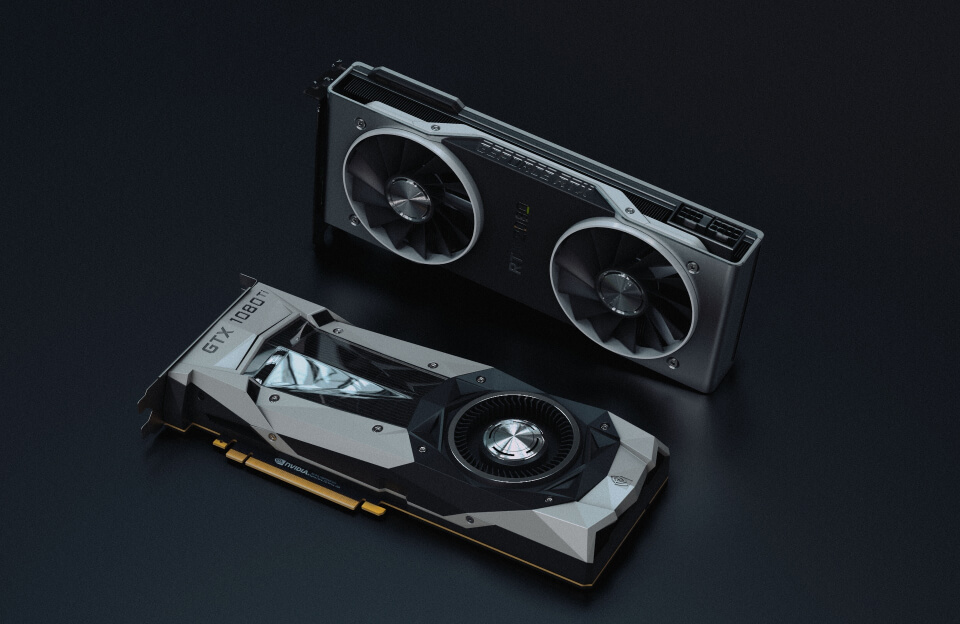
- Graphics card (GPU)
- Motherboard
- Memory (RAM)
- Storage (SSD/NVMe)
- Power supply (PSU)
- Cooling system
- Computer case
The total cost of your gaming PC largely depends on the performance level you want to achieve.
Budget Gaming PC Build ($600–$900)
For beginners and casual gamers, a budget gaming PC offers excellent value.
A typical budget build in 2026 may include:
Processor
Mid-range processors such as:
- AMD Ryzen 5 series
- Intel Core i5 series
Estimated cost:
$150–$250
Graphics Card
Popular budget GPUs include:
- NVIDIA RTX 4060
- AMD Radeon RX 7600
Estimated cost:
$250–$350
Remaining Components
- Motherboard: $80–$150
- RAM: $50–$80
- SSD: $50–$100
- Power Supply: $60–$100
- Case: $50–$100
Total estimated cost:
$600–$900
This category is ideal for:
- 1080p gaming
- Esports titles
- Entry-level content creation
- Streaming beginners
Learn more about PC hardware:
https://www.tomshardware.com
SEO Keywords: budget gaming PC, cheap gaming computer, gaming PC under $1000.
Mid-Range Gaming PC Build ($1,000–$1,800)
The mid-range category represents the most popular segment among gamers.
Typical components include:
Processor
- AMD Ryzen 7
- Intel Core i7
Estimated cost:
$250–$450
Graphics Card
- NVIDIA RTX 5070 series
- AMD Radeon RX 9070 series
Estimated cost:
$500–$800
Additional Components
- Motherboard: $150–$250
- RAM: $100–$150
- Storage: $100–$200
- Power Supply: $100–$150
- Case and cooling: $150–$250
Total estimated cost:
$1,000–$1,800
This setup provides:
- 1440p gaming
- High refresh rate gaming
- Content creation
- Streaming
- Video editing
- VR gaming
For most gamers, this category offers the best balance of performance and cost.
High-End Gaming PC Build ($2,000–$4,000)
High-end gaming PCs are designed for enthusiasts seeking maximum performance.
Typical specifications include:
Premium Processors
- AMD Ryzen 9
- Intel Core Ultra 9
Cost:
$400–$700
High-End Graphics Cards
- NVIDIA RTX 5080
- NVIDIA RTX 5090
- AMD flagship GPUs
Cost:
$900–$2,000+
Premium Components
- High-end motherboards
- 64GB+ RAM
- Multiple NVMe SSDs
- Liquid cooling
- Premium cases
- High-wattage power supplies
Total estimated cost:
$2,000–$4,000+
These systems target:
- 4K gaming
- AI workloads
- Professional content creation
- Competitive esports
- Advanced simulations
Learn more:
https://www.techpowerup.com
SEO Keywords: high-end gaming PC, RTX gaming PC, 4K gaming computer.
Hidden Costs Most Builders Forget
Many first-time builders underestimate several important expenses.
Monitor
A gaming PC without a quality monitor limits the overall experience.
Typical costs:
- 1080p monitor: $100–$250
- 1440p monitor: $250–$500
- 4K monitor: $500–$1,200
Gaming Peripherals
Additional expenses include:
- Mechanical keyboard
- Gaming mouse
- Headset
- Speakers
- Mouse pad
- Webcam
Estimated total:
$150–$700
Operating System
Many builders forget to budget for software.
Windows licenses typically cost:
$100–$150
Alternative operating systems like Linux may reduce costs.
Internet and Networking Equipment
Competitive gaming often requires:
- High-speed internet
- Gaming routers
- Ethernet equipment
- Wi-Fi upgrades
Electricity Costs
Gaming PCs consume significantly more electricity than consoles.
Average gaming PC power consumption:
- Idle: 60–120 watts
- Gaming: 300–700 watts
- High-end systems: 800+ watts
Over several years, electricity costs become a meaningful expense.
Learn more:
https://www.energy.gov/energysaver/electricity-usage-calculator
RGB Lighting and Aesthetic Costs
Modern gaming culture increasingly emphasizes aesthetics.
Optional upgrades include:
- RGB fans
- LED strips
- Custom cables
- Water cooling
- LCD displays
- Premium cases
These features can add:
$100–$1,000+
While aesthetics do not improve gaming performance directly, they significantly influence user satisfaction and personalization.
Future Upgrade Costs
Unlike consoles, gaming PCs require periodic upgrades.
Typical upgrade cycles:
Graphics Card
Every 3–5 years
Processor
Every 4–6 years
Storage
Every 2–4 years
Memory
Every 4–6 years
Planning future upgrades can reduce long-term costs.
Is Building a Gaming PC Cheaper Than Buying a Console?
The answer depends on your goals.
Console Advantages
- Lower initial cost
- Simplicity
- Plug-and-play operation
Gaming PC Advantages
- Better graphics
- Higher frame rates
- Upgradeability
- Productivity capabilities
- Streaming support
- Modding communities
While a gaming PC requires a larger initial investment, many users consider the long-term value significantly greater.
How Much Should You Actually Spend?
For most gamers in 2026:
Casual Gamer
Budget:
$700–$1,000
Mainstream Gamer
Budget:
$1,200–$1,800
Enthusiast Gamer
Budget:
$2,000–$3,000
Professional Creator/Gamer
Budget:
$3,000–$5,000+
Spending beyond your actual needs rarely provides proportional benefits.
Tips for Saving Money When Building a Gaming PC
To maximize value:
- Wait for seasonal sales
- Compare component prices
- Prioritize GPU performance
- Avoid unnecessary RGB upgrades
- Consider previous-generation hardware
- Upgrade gradually
- Reuse existing components
- Research compatibility carefully
Smart purchasing decisions can save hundreds of dollars.
Conclusion
The real-world cost of building a gaming PC extends far beyond the price of a graphics card or processor.
Depending on your goals, a gaming PC may cost anywhere from $600 to over $5,000, with additional expenses for peripherals, software, electricity, upgrades, and aesthetics.
The good news is that gaming PCs remain one of the most versatile and rewarding technology investments available. Whether you’re playing competitive esports, exploring open-world adventures, creating content, or streaming professionally, a properly planned gaming PC can provide years of exceptional performance.
The key is not building the most expensive gaming PC possible.
The key is building the right gaming PC for you.
Related Articles
- https://www.pcgamer.com/how-to-build-a-gaming-pc/
- https://www.tomshardware.com
- https://www.techpowerup.com
- https://www.energy.gov/energysaver/electricity-usage-calculator
- https://www.pcgamer.com/hardware/
Frequently Asked Questions (FAQ)
Q1. How much does a good gaming PC cost in 2026?
A good mid-range gaming PC typically costs between $1,000 and $1,800.
Q2. Is it cheaper to build or buy a gaming PC?
Building a gaming PC usually offers better value and higher-quality components than prebuilt systems.
Q3. What is the most expensive component in a gaming PC?
The graphics card (GPU) is generally the most expensive component.
Q4. How long does a gaming PC last?
A well-built gaming PC can remain useful for 5–8 years with occasional upgrades.
Q5. Is RGB lighting worth the extra cost?
RGB lighting does not improve performance but can enhance aesthetics, personalization, and user experience.